For managers and owners
The business case for an AI receptionist
For practice managers, operations leads and owners who need to justify the decision: what it costs, how to estimate the return, which numbers to track, how to roll it out in 90 days and how to manage the risks.
Last reviewed
One-page summary
The case in four paragraphs
Written so you can copy it into a board paper or an email to your partners, then adjust the numbers to your business.
- 01The problem
- Calls go unanswered at lunchtime, when the team is busy and after hours. Each one can be a lost booking or customer, and routine calls take staff away from work only they can do.
- 02The proposal
- An AI agent answers every call on our existing number, 24/7. It handles routine questions and bookings from our own information and passes everything else to the team with full details.
- 03The cost
- A monthly plan from £0 to £199 plus usage from prepaid credits, typically £0.42 a minute. No fixed term, no hardware and no change of phone number.
- 04The control
- A 90-day rollout starting with after-hours calls only, KPIs reviewed monthly, callers told they are speaking to AI, and retention, recording and access set to our policy.
Why now
The evidence behind the decision
Three figures that frame the case. Each links to its source.
- of UK adults would phone to book an appointment, against 28% who would use an online form
- 49%
- Source: Whistl, 2026 update
- of UK businesses used at least one AI technology in September 2026, up from 9% in September 2023
- 30%
- Source: Office for National Statistics, 8 October 2026
- a month: the estimated cost to UK organisations of staff time spent dealing with service failures
- £7.3bn
- Source: The Institute of Customer Service, January 2025
Step 1
Cost it
Two parts: a monthly plan for how many calls you can take at once, plus usage from prepaid credits at typically £0.42 a minute.
Monthly cost = plan fee + (calls × average minutes × £0.42)
| Scenario | Plan | Per month |
|---|---|---|
| Trying it outA sole trader tests an after-hours receptionist for a month: about 50 calls of 2 minutes each. | Free | £42 |
| A busy clinicA dental clinic lets the AI answer overflow and after-hours calls: about 250 calls of 2 minutes each. | Pro | £309 |
| Multi-site with campaignsA letting agency answers three office lines and runs viewing-reminder campaigns: about 1,000 calls of 2 minutes each. | Growing | £1,039 |
For comparison, a full-time receptionist on the National Living Wage costs about £28,300 a year, roughly £2,358 a month, before cover for holidays and evenings. See the full comparison. Prices exclude VAT.
Step 2
Estimate the return
Value comes from three places. Put your own numbers into each formula. The examples are illustrative, not a promise of results.
Revenue from calls you miss today
Missed calls × share that are new customers × share who would have booked × average value
Example: 60 missed calls × 40% × 30% × £180 first job
£1,296 a month
Staff time released
Routine calls handled by the agent × minutes each × hourly staff cost
Example: 300 routine calls × 3 minutes × £14.51 an hour
£218 a month
Fewer no-shows
Extra appointments kept after reminder calls × value of an appointment
Example: 8 more appointments kept × £60
£480 a month
In this example, about £1,994 of monthly value against £309 for the busy clinic on Pro. Even if you only count half of the value, the case still stands.
Staff time at £14.51 an hour
Need a starting point for missed calls? Read how to work out the cost of missed calls.
Step 3
Agree the KPIs
Measure your baseline before you start, then review these six numbers every month. Each one is visible in Narvin.
- Answer rate
Share of incoming calls answered by a person or the agent. Measure the baseline on your phone system before you start.
Your phone system before and after, plus calls in Logs
- Resolved by the agent
Share of conversations the agent completed without anyone calling back.
Resolution in each call’s AI analysis
- Bookings and leads captured
Appointments booked and enquiries captured with full details, especially outside opening hours.
Captured fields, calendar bookings and webhook deliveries
- Cost per conversation
Total monthly spend divided by conversations handled. Compare it with the staff time each call used to take.
Credits used in Payments and average duration on Home
- Caller sentiment
Whether callers leave happy, neutral or frustrated, and which topics cause friction.
Average sentiment on Home and per call in Logs
- Failures
Calls that failed and follow-up jobs, such as webhooks, that did not complete.
Failed calls and failed jobs on Home and in Jobs
Step 4
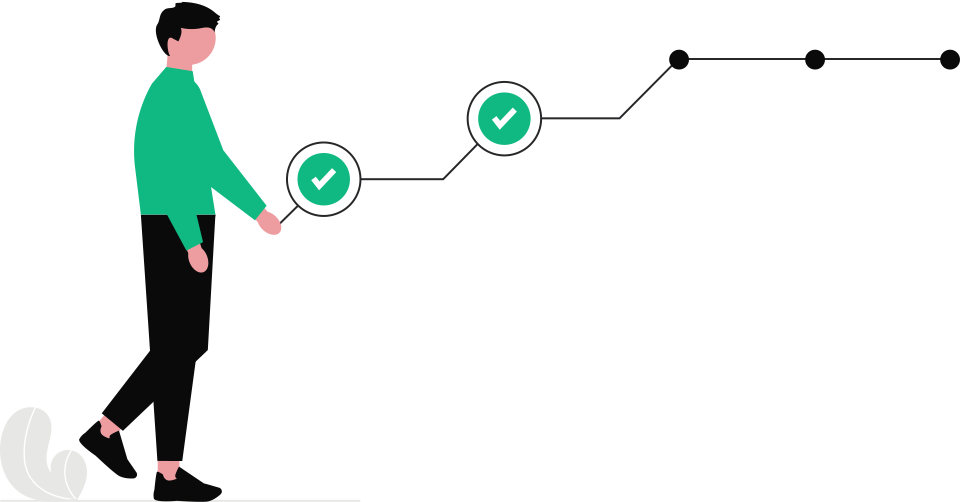
Roll it out in 90 days
Start small, learn from real calls and widen the scope only when the numbers support it.
- 01
Week 1: pilot safely
Start on the Free plan. Create an agent from a template or your website, add your price list and FAQs, and test it in the browser with your team.
- 02
Weeks 2 to 4: after hours only
Forward calls outside opening hours to Narvin. Read ten conversations a week and fix any gap in the knowledge base or instructions.
- 03
Month 2: extend and connect
Add lunchtime and busy-period overflow, connect Google Calendar for bookings and send captured details to your CRM by webhook.
- 04
Month 3: measure and decide
Compare the KPIs with your baseline, try reminder calls for upcoming appointments, and choose the plan that fits your call volume.
Step 5
Manage the risks
The questions your board, partners or data protection lead will ask, and how each one is handled.
Callers do not want to talk to AI
Say it is an AI assistant in the opening line, keep answers short and make it easy to leave a message or book a callback with a person.
Telling callers they are talking to AIThe agent gives a wrong answer
Switch on knowledge-base-only answers, give it a fallback line for anything it does not know, and review conversations weekly.
Build your knowledge basePersonal data and recordings
Set retention per agent, switch audio recording off where it is not needed, limit who can read logs, and sign our Data Processing Agreement.
UK GDPR and AI call recordingOutbound calling rules
Only call people with a clear basis to contact them, screen numbers against the TPS where it applies, and schedule campaigns in sociable hours.
PECR and TPS rules for AI callsCosts creep up
Usage comes from prepaid credits, so spend cannot run past your balance. Call length is capped per agent, calls at once by your plan, and campaigns by a calls-per-hour limit.
Credits, plans and billingBeing locked in
Keep your existing number and simply forward calls. There is no fixed term or cancellation fee, and logs export as CSV whenever you need them.
Keep your number
Who to involve
Bring the right people in early
A short conversation with each of these before you go live avoids surprises later.
- Finance
- Monthly budget, prepaid credits and the cost per conversation against today’s cost.
- IT or your phone provider
- Call forwarding to the new number, calendar and CRM connections, and who has admin access.
- Data protection lead
- The Data Processing Agreement, retention periods, recording notice and what callers are told.
- Front-line team
- What the agent should and should not handle, and how messages and bookings reach them.
- Customers
- A clear opening line, quick answers and an easy route to a person.
FAQ
Questions managers ask
If yours is not here, email us and one of the founders will reply.
How quickly does an AI receptionist pay for itself?
It depends on how many calls you miss today and what a new customer is worth. For many small businesses, recovering two or three bookings a month covers the Pro plan and typical usage. Work it out with your own numbers using the formulas on this page and the pricing calculator.
Will it replace our receptionist?
Most teams use it alongside people. The agent takes after-hours calls, overflow and routine questions, so your receptionist spends more time on in-person, complex and high-value conversations.
What do we need from IT?
Very little. You need a Twilio number, which we can provide on our managed account, and call forwarding from your existing number. Calendar and CRM connections use a normal sign-in to each service.
How do we measure success?
Record your answer rate and missed calls before you start, then track the KPIs on this page each month: conversations resolved by the agent, bookings and leads captured, cost per conversation, caller sentiment and failures.
What happens when a caller wants a person?
The agent takes a message, books a callback or creates a task, and passes the details to your team by email, Slack or webhook. Live transfer to a person during the call is on our roadmap and not available yet, so plan your process around callbacks for now.
Where to next
- CostsWork out your monthly costPlans from £0 plus usage from prepaid credits, with worked examples and a calculator.Continue
- Due diligenceCheck security and data handlingUK data region, encryption, retention controls, roles and our data processing terms.Continue
- EvidenceSee the industry statisticsOfficial and independent UK figures on AI adoption and customer service, each with its source.Continue
Run a free pilot on your after-hours calls
Start on the Free plan, test with your team, then forward real calls when you are ready.